Using External Tools in PyCharm
This thing is really handy, especially for packaging with pyinstaller — one-click packaging, no need to keep typing commands.
Steps
1. Getting Started
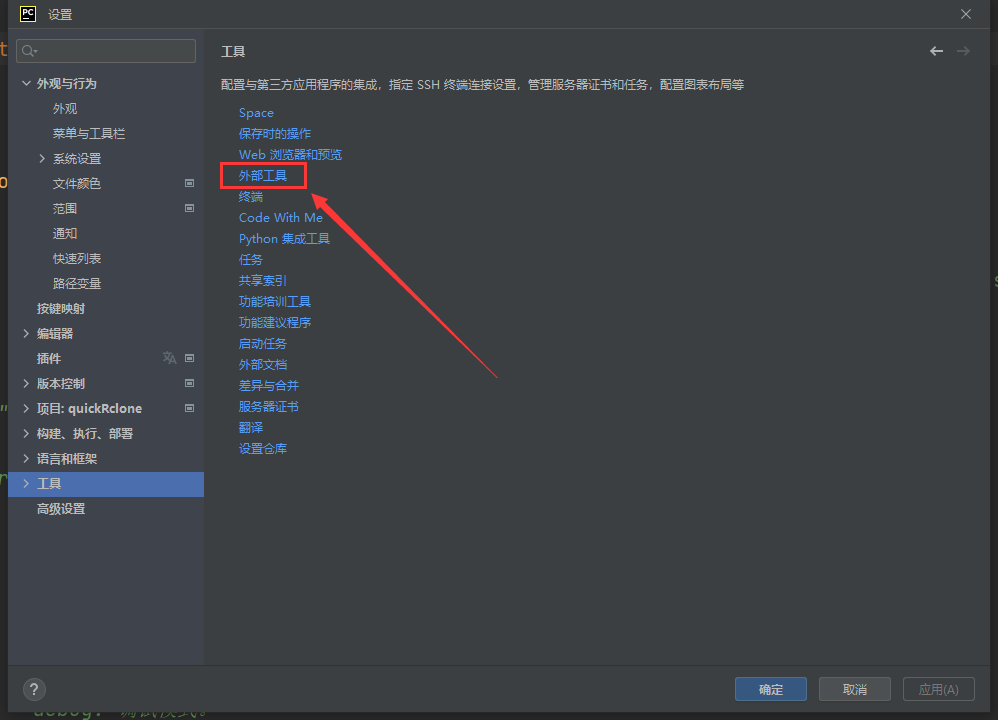
Open Settings, find the External Tools option as shown in the figure, and open it.
2. Create a New External Tool
An external tool is a set of predefined commands. When you use it, macros are replaced based on the file to produce the final command, which is then executed automatically. In short, it saves you the time spent typing commands — a few mouse clicks and the pyinstaller command is invoked to package your script. Let’s take that as an example below.
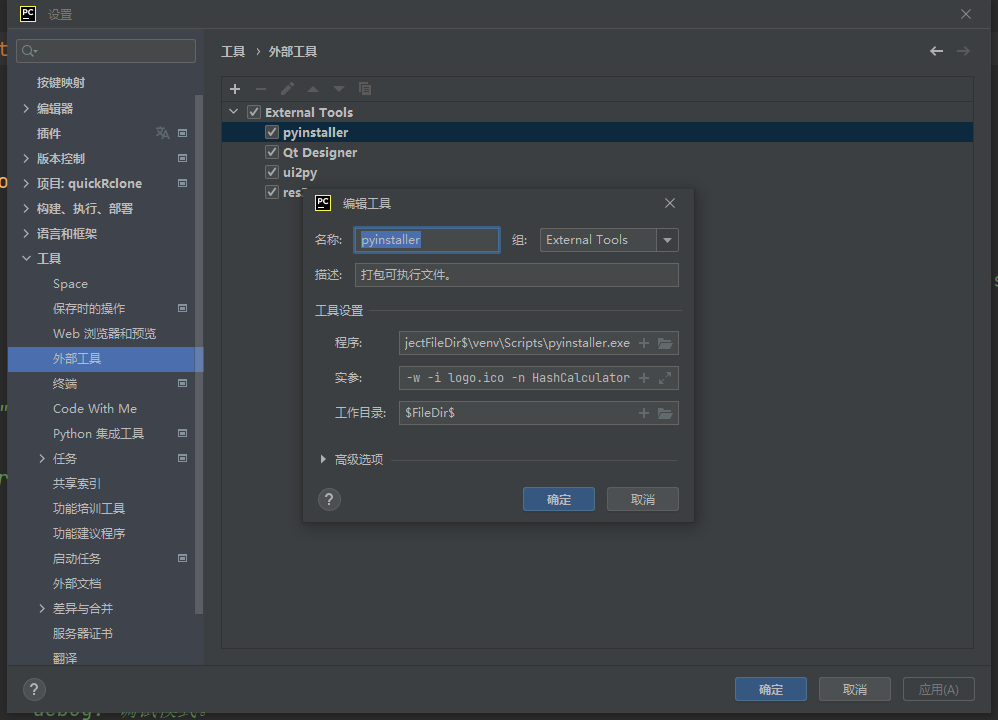
Among them, Name is the name displayed when the tool is used, Group is used to organize tools into groups, and Description is self-explanatory.
Focus mainly on the tool settings:
Program
Enter the path to the program, which can be an absolute path or a relative path. Clicking the plus sign lets you add macros, making it adapt to your project path automatically. Here’s what I use:1$ProjectFileDir$\venv\Scripts\pyinstaller.exeHere,
$ProjectFileDir$is a macro that is automatically replaced with the project file directory when used.Arguments
Here you configure the arguments passed to the program when it runs.1--clean -F $FileNameWithoutExtension$.py -w -i logo.ico -n $ProjectName$Working directory
The current directory in which the program runs. Here I’ve set it to the file directory, i.e., the path of the file being executed. For example, when I packagemain.py, it’s the path where that file is located.1$FileDir$
3. Use the External Tool
For example, to package main.py with pyinstaller, right-click main.py, click External Tools in the menu, and then click the external tool created above. It will automatically invoke pyinstaller and execute the command with the given arguments to complete the packaging.
4. A Few More Common External Tools
Open Qt Designer
- Program
1$ProjectFileDir$\venv\Scripts\pyside6-designer.exe - Working directory
1$FileDir$
- Program
Convert UI files to py files
- Program
1$ProjectFileDir$\venv\Scripts\pyside6-uic.exe - Arguments
1$FileName$ -o $FileNameWithoutExtension$.py - Working directory
1$FileDir$
- Program
Convert resource files to py files
- Program
1$ProjectFileDir$\venv\Scripts\pyside6-rcc.exe - Arguments
1$FileName$ -o $FileNameWithoutExtension$.py - Working directory
1$FileDir$
- Program