Creating MMD with Blender Tutorial
This article introduces:
- The installation steps of the MMD plugins Cats and MMD Tools;
- How to use the localization plugin BLT;
- How to use the plugins to import MMD assets.
Steps
1. Plugin Download
Plugin download pages: Cats, MMD Tools, BLT. The downloaded plugins should be in compressed archive format.
2. Plugin Installation
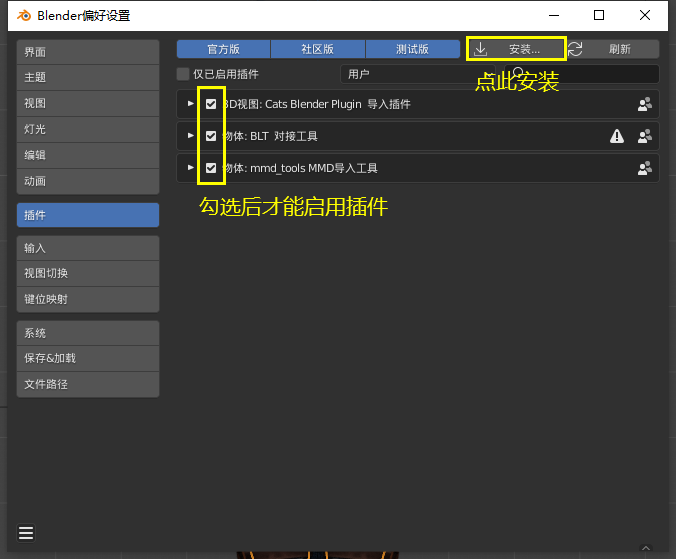
- Enter Blender and open: Edit->Preferences->Add-ons;
- Click the Install button in the top-right corner of the popup window;
- Find the downloaded plugin archive, select it and install the plugin.
- After installing, remember to check the checkbox in the add-ons page to enable the plugin, then restart Blender.
3. Plugin Usage Tips
Translation plugin: it generally translates automatically once installed. If it does not work, open: Edit->Preferences->Add-ons, search for
BLT, and enable global translation as shown below.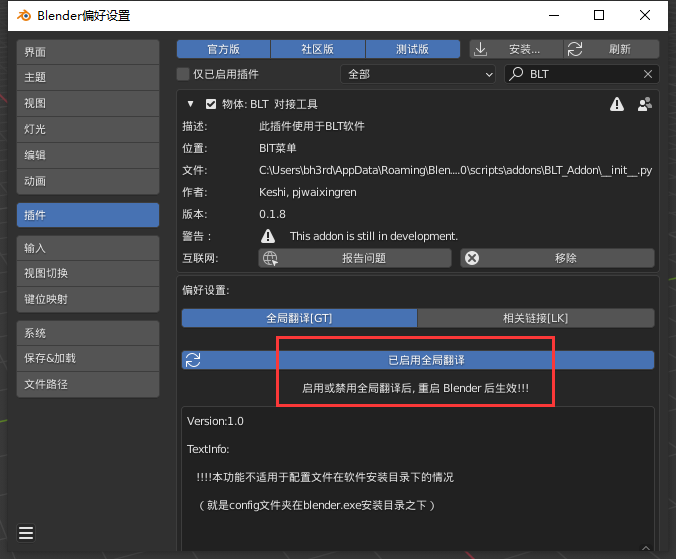
Enable Global Translation Import the model, motions and other required assets as shown in the figure, and split them apart for later use.
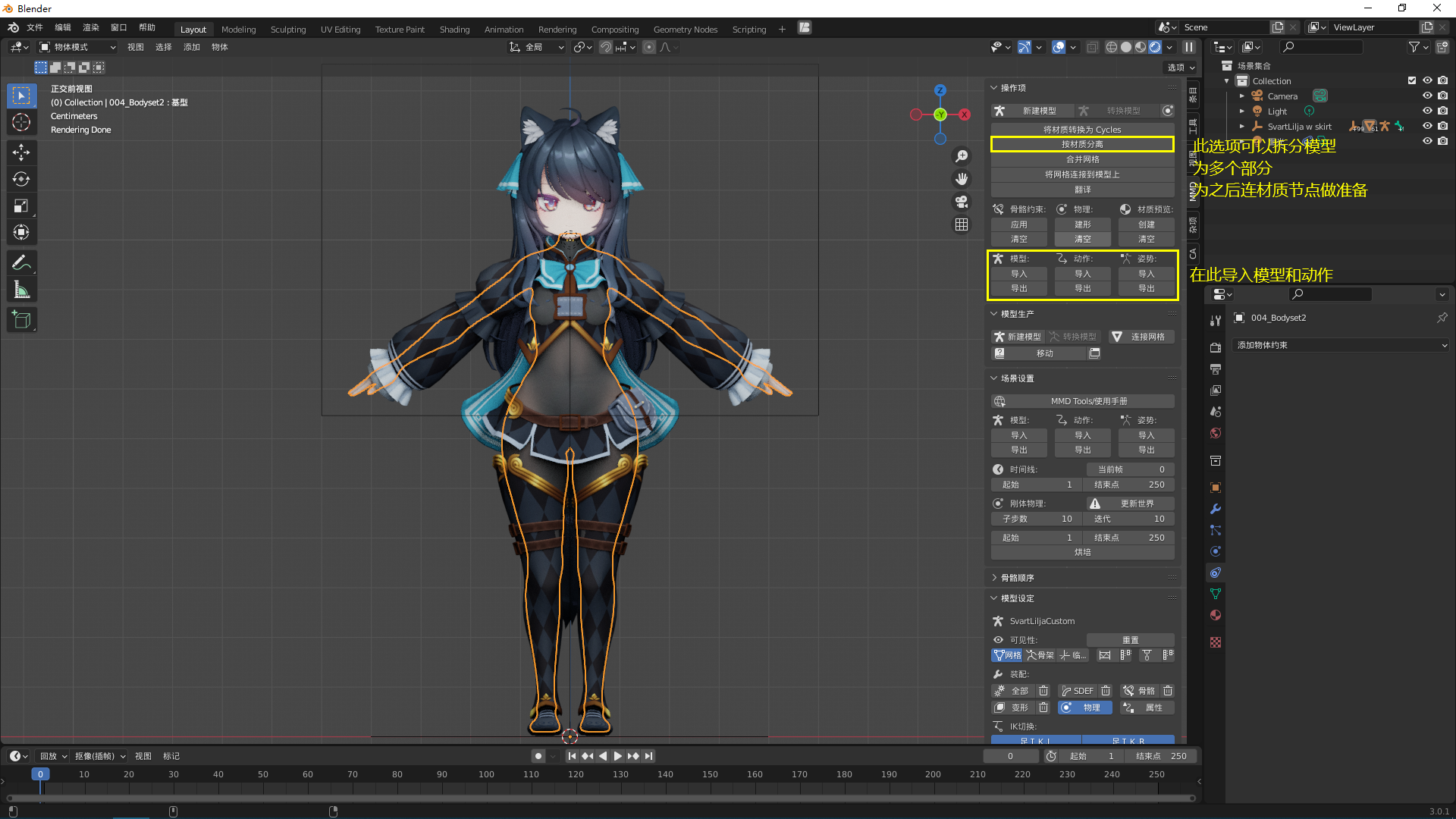
Import Assets
References
Thanks to the Blender Foundation and to the contributors of the plugins above!